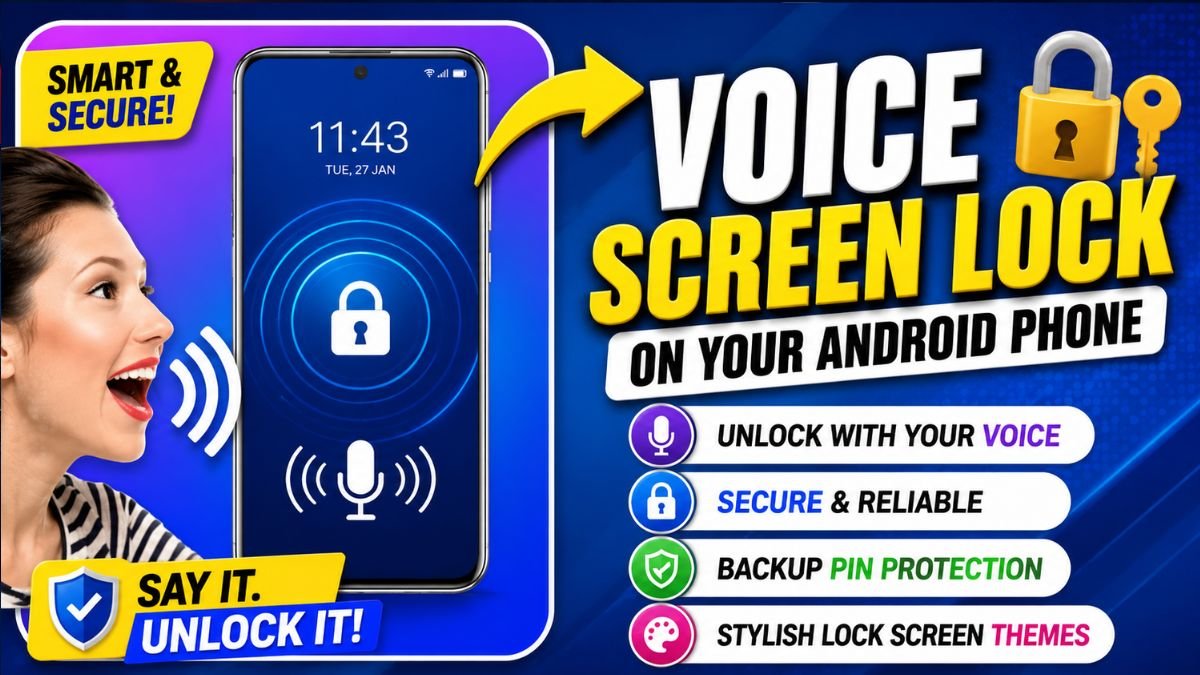
A Voice Screen Lock App is an Android application that allows users to unlock their smartphone using a custom voice password or phrase. Instead of relying only on a PIN or pattern, the app recognizes your recorded voice command and unlocks the screen. Most apps also include backup options like a PIN or pattern to ensure you can still access your device if voice recognition fails.
Introduction
Smartphones store our most valuable personal information, including photos, messages, contacts, banking apps, and work documents. As mobile security becomes increasingly important, Android users continue looking for innovative ways to protect their devices while keeping them easy to access.
One of the most interesting personalization trends is the Voice Screen Lock App. Unlike traditional lock methods, these apps let you unlock your phone using a unique voice command. The combination of convenience, customization, and modern technology makes voice lock apps a popular choice for users who want a different unlocking experience.
Although voice unlocking should not replace Android’s built-in security features, it offers a fun and practical layer of personalization. In this guide, you’ll learn how Voice Screen Lock Apps work, their key features, advantages, limitations, and tips for choosing the best app for your Android phone.
How Does a Voice Screen Lock App Work?
Voice Screen Lock Apps use your phone’s microphone to recognize a voice password that you create during setup. After installing the app, you record a custom phrase, grant microphone permission, and configure a backup unlock method such as a PIN or pattern.
When you speak the registered phrase, the app compares your voice with the stored recording. If it matches, the app unlocks the screen. If recognition fails due to background noise or voice changes, you can use the backup unlock option to access your device.
Many apps work alongside Android’s default security system rather than replacing it entirely, providing an additional layer of convenience.
Top Features of Voice Screen Lock Apps
A good Voice Screen Lock App includes more than simple voice recognition. Popular features include:
Voice Password Unlock
Record a personalized voice command such as “Unlock My Phone” or any phrase of your choice.
Backup PIN or Pattern
Since voice recognition may not work in noisy environments, most apps include a backup PIN, password, or pattern for reliable access.
Custom Lock Screen Themes
Many apps offer attractive lock screen designs, digital clocks, wallpapers, and animations that enhance your phone’s appearance.
Lightweight Performance
The best apps are optimized to run efficiently without slowing down your device or consuming excessive memory.
Easy Setup
Most Voice Screen Lock Apps can be configured in just a few minutes with simple step-by-step instructions.
Benefits of Using a Voice Screen Lock App
Personalized Experience
Voice unlocking adds a unique touch to your Android phone and offers a more customized experience than traditional lock methods.
Quick Access
For many users, speaking a voice command can be faster and more convenient than entering a password or drawing a pattern.
Modern Look
Voice-based unlocking gives your phone a smart and futuristic feel, making it stand out from standard Android lock screens.
Additional Security Layer
When combined with Android’s built-in PIN or fingerprint authentication, voice unlocking can provide another level of protection while keeping your device easy to access.
Voice Lock vs PIN vs Pattern vs Fingerprint
| Feature | Voice Lock | PIN | Pattern | Fingerprint |
|---|---|---|---|---|
| Easy to Use | ⭐⭐⭐⭐ | ⭐⭐⭐⭐ | ⭐⭐⭐⭐⭐ | ⭐⭐⭐⭐⭐ |
| Speed | ⭐⭐⭐⭐ | ⭐⭐⭐⭐ | ⭐⭐⭐⭐⭐ | ⭐⭐⭐⭐⭐ |
| Security | ⭐⭐⭐ | ⭐⭐⭐⭐ | ⭐⭐⭐⭐ | ⭐⭐⭐⭐⭐ |
| Personalization | ⭐⭐⭐⭐⭐ | ⭐⭐ | ⭐⭐ | ⭐⭐⭐ |
For the best security, use a Voice Screen Lock App together with Android’s built-in PIN or fingerprint authentication rather than relying on voice alone.
Pros and Cons
Pros
- Quick and convenient unlocking
- Personalized voice password
- Attractive lock screen themes
- Beginner-friendly setup
- Compatible with many Android devices
- Fun and modern user experience
Cons
- Voice recognition may not work well in noisy places
- Requires microphone permission
- Some features may require a premium version
- Not a replacement for Android’s built-in security
Tips for Better Voice Recognition
To improve the performance of your Voice Screen Lock App:
- Record your voice in a quiet room.
- Use a clear and unique phrase.
- Avoid recording while music or television is playing.
- Test the voice password several times after setup.
- Keep the app updated to benefit from performance improvements and bug fixes.
Is a Voice Screen Lock App Safe?
Yes, Voice Screen Lock Apps are generally safe when downloaded from trusted developers or official app stores. Before installing any app:
- Review requested permissions.
- Read user reviews.
- Check the developer’s reputation.
- Keep the application updated.
- Avoid downloading modified APK files from unknown sources.
Using trusted apps helps protect your privacy and ensures better compatibility with your Android device.
Frequently Asked Questions
Can I unlock my phone only with my voice?
Most Voice Screen Lock Apps allow voice unlocking but also require a backup PIN, password, or pattern for situations where voice recognition doesn’t work.
Does Voice Lock work without the internet?
Yes. Most voice recognition for lock screen apps works locally on your device and does not require a continuous internet connection.
Will a Voice Screen Lock App drain my battery?
Battery usage is generally low because the microphone isn’t continuously active. Well-optimized apps have minimal impact on overall device performance.
Does it work on every Android phone?
Most apps support Android 8.0 or newer, but compatibility depends on your device model and Android version.
Is voice unlocking more secure than fingerprint?
Fingerprint authentication is generally more secure and reliable. Voice unlocking is best used as an additional convenience feature rather than a primary security method.
Final Verdict
A Voice Screen Lock App is an excellent option for Android users who enjoy customizing their smartphones while adding a unique unlocking experience. It combines convenience, personalization, and modern technology into an easy-to-use package. Although voice recognition should not replace Android’s built-in security features, it works well as an additional layer alongside a PIN, pattern, or fingerprint unlock.
If you’re looking for a smarter and more personalized lock screen in 2026, choose a reliable Voice Screen Lock App from a trusted developer, configure a strong backup unlock method, and keep the app updated for the best experience. With the right app, you can enjoy a stylish, interactive, and secure way to unlock your Android phone.