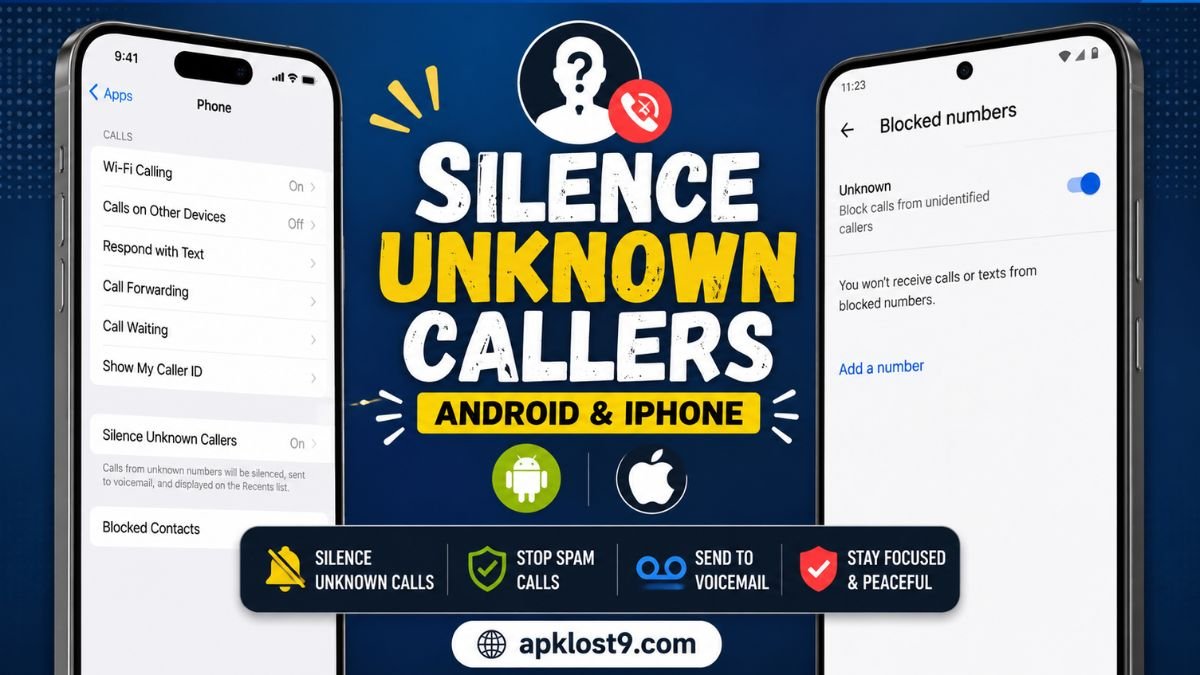
Tired of your phone ringing every time an unknown number calls? Both iPhone and Android offer built-in tools to reduce unwanted calls without manually blocking every number.
On an iPhone, you can silence calls from unsaved numbers and send them directly to voicemail. On Android, the exact options depend on your phone and calling app, but Google’s Phone app can block private or unidentified numbers and provide spam protection.
Here’s how to silence unknown callers on both devices.
How to Silence Unknown Callers on iPhone
The iPhone has a built-in Silence option for calls from unknown numbers. When enabled, calls from unsaved numbers are silenced, sent to voicemail, and remain visible in your recent calls.
Steps to silence unknown callers on iPhone
- Open Settings.
- Tap Apps.
- Select Phone.
- Find Screen Unknown Callers.
- Select Silence.
That’s it. Calls from numbers that aren’t saved in your contacts will no longer ring normally. Instead, they are sent to voicemail and can still appear in your Recents list.
What happens when you silence unknown callers?
Silencing unknown callers does not necessarily mean the caller is blocked permanently.
Instead:
- Your iPhone doesn’t ring for the unknown call.
- The call is sent to voicemail.
- The call can remain visible in your recent calls.
- Calls from people saved in your contacts can continue to ring normally.
This makes the feature useful if you want fewer interruptions without completely losing the ability to see calls from unfamiliar numbers.
How to Turn Off Silence Unknown Callers on iPhone
If you’re expecting an important call from someone who isn’t saved in your contacts, you can turn the feature off.
Go to:
Settings → Apps → Phone → Screen Unknown Callers → Never
Apple says the Never option allows calls from unknown contacts to ring normally.
How to Silence Unknown Callers on Android
Android phones don’t all use the same calling app or settings, so the exact steps can vary between Google Pixel, Samsung Galaxy, OnePlus, Xiaomi, and other devices.
If your Android phone uses the Phone by Google app, you can block calls from private or unidentified numbers.
Block unknown numbers with the Google Phone app
- Open the Phone app.
- Tap the three-dot menu.
- Tap Settings.
- Select Blocked numbers.
- Turn on Unknown.
Google explains that this option blocks calls from private or unidentified numbers. However, it does not block every number that simply isn’t saved in your contacts. You can still receive calls from normal phone numbers that aren’t in your contacts.
This distinction is important: an “unknown caller” can mean either an unsaved number or a caller whose number is hidden. Android’s Google Phone setting specifically addresses the latter.
How to Stop Spam Calls on Android
If you’re mainly trying to reduce telemarketing and suspected scam calls, Android’s spam protection may be more useful than blocking every unknown caller.
In the Google Phone app, caller ID and spam protection can identify businesses outside your contacts and warn you about potential spam callers.
When a suspicious call appears, you can also select Block or Report spam from your recent calls.
To report a number:
- Open the Phone app.
- Go to Home or your recent calls.
- Tap the unwanted number.
- Choose Block or Report spam.
Google says reported numbers can be used to help identify potential spam calls in the future.
Android: Unknown Numbers vs. Private Numbers
This is one of the most confusing parts of Android call settings.
A number not in your contacts is still a visible phone number. For example, if 0300-1234567 calls you and you haven’t saved it, your phone can still display that number.
A private or unidentified number is different. The caller has hidden their number, so your phone may display something such as “Private,” “Unknown,” or “No Caller ID.”
The Google Phone app’s Unknown blocking option is designed for private or unidentified calls, not necessarily every unsaved number.
Because Android manufacturers customize their software, Samsung and other phones may provide additional call-blocking options.
Should You Silence or Block Unknown Callers?
Silencing is usually better if you still want to receive important calls without being interrupted.
For example, an unfamiliar number could belong to:
- A delivery driver
- A doctor or medical office
- Your bank
- A school or workplace
- A business you recently contacted
- Someone calling from a new number
If you completely block unknown or private calls, you may miss legitimate calls.
For most people, silencing unknown callers on iPhone or using spam protection on Android is a better starting point than blocking everything.
How to Reduce Spam Calls Without Blocking Everyone
You can combine several features to reduce unwanted calls.
On iPhone, use Screen Unknown Callers and consider the available call-filtering options in Phone settings. Apple also provides tools for screening and filtering unwanted calls.
On Android, keep caller ID and spam protection enabled and report unwanted numbers as spam when appropriate.
You should also avoid returning calls to suspicious numbers or providing personal information to callers you don’t recognize.
Frequently Asked Questions
How do I silence unknown callers on iPhone?
Go to Settings → Apps → Phone → Screen Unknown Callers → Silence. Unknown calls will be silenced and sent to voicemail.
Can I silence unknown callers without blocking them?
Yes. On iPhone, the Silence option sends unknown calls to voicemail instead of making your phone ring. The calls can still appear in your recent calls.
How do I block unknown callers on Android?
If you’re using the Google Phone app, go to Phone → More → Settings → Blocked numbers → Unknown. This blocks private or unidentified numbers, but normal numbers that aren’t saved in your contacts can still call you.
Will I miss important calls if I silence unknown callers?
You might. If an important caller isn’t saved in your contacts, their call may be silenced on iPhone. Consider adding important numbers to your contacts before enabling the feature.
What’s the difference between an unknown caller and a spam caller?
An unknown caller is generally someone whose number isn’t recognized or is hidden. A spam caller is a number identified or suspected as unwanted. Spam protection attempts to identify potentially unwanted calls, while unknown-caller controls focus on calls that aren’t recognized or have hidden caller information.
Final Thoughts
Silencing unknown callers is an easy way to reduce unwanted interruptions without manually blocking every suspicious number.
On iPhone, go to Settings → Apps → Phone → Screen Unknown Callers → Silence.
On Android, the available controls depend on your device and Phone app. With Google’s Phone app, you can block private or unidentified numbers and use caller ID and spam protection to identify potential spam.
If you regularly receive important calls from numbers that aren’t saved in your contacts, consider using spam protection or call screening instead of blocking every unknown number.